Pro-style pitch calls
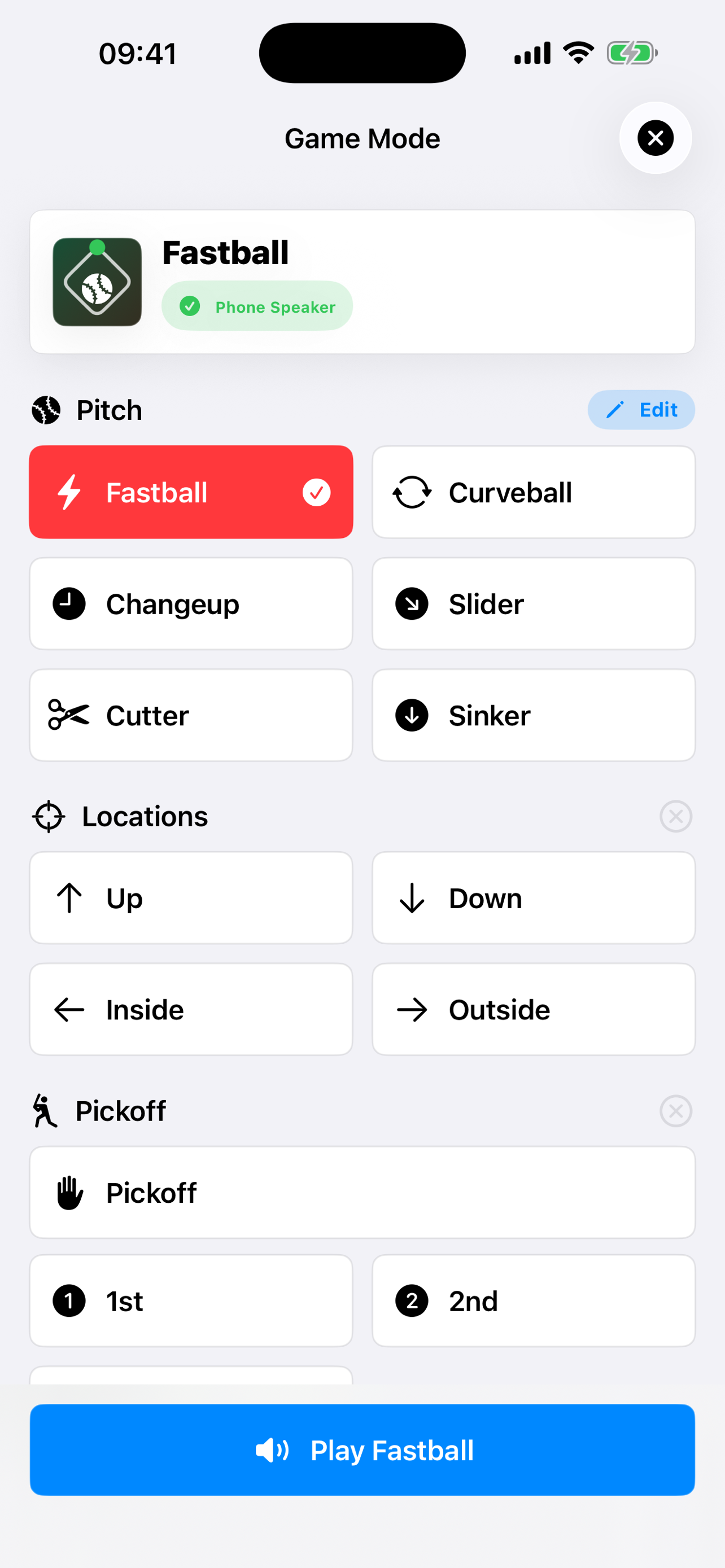
Call fastball, curveball, changeup, slider, cutter, sinker, locations, and pickoffs from one game-day screen.
Pitch communication and coaching insights
Call it. Track it. Coach the next one.
Call pitches from iPhone, deliver them over Bluetooth audio or Apple Watch, then record the result and review the pitcher's strike rate, spot accuracy, and pitch mix.
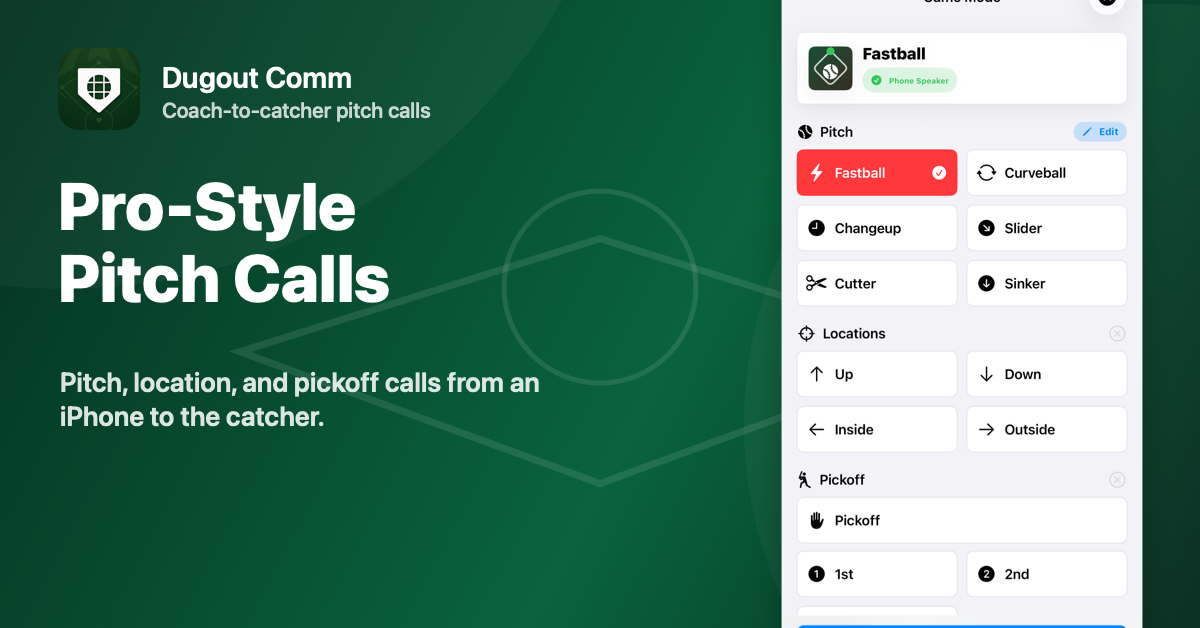
Pitch calls
Location calls
Pickoff calls
Bluetooth audio
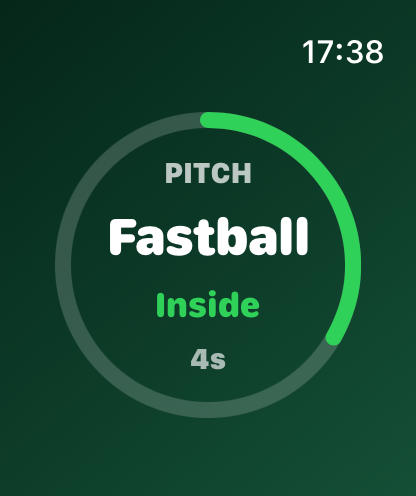
Apple Watch calls
Pitcher stats
One connected coaching workflow
Select a pitch, location, or pickoff from one clean game-day screen. Send the call, record what happened, and turn the session into useful information for the next bullpen, practice, or game.
Call fastball, curveball, changeup, slider, cutter, sinker, locations, and pickoffs from one game-day screen.
Send live pitch calls from the iPhone to Apple Watch with a clear wrist display and haptic feedback.
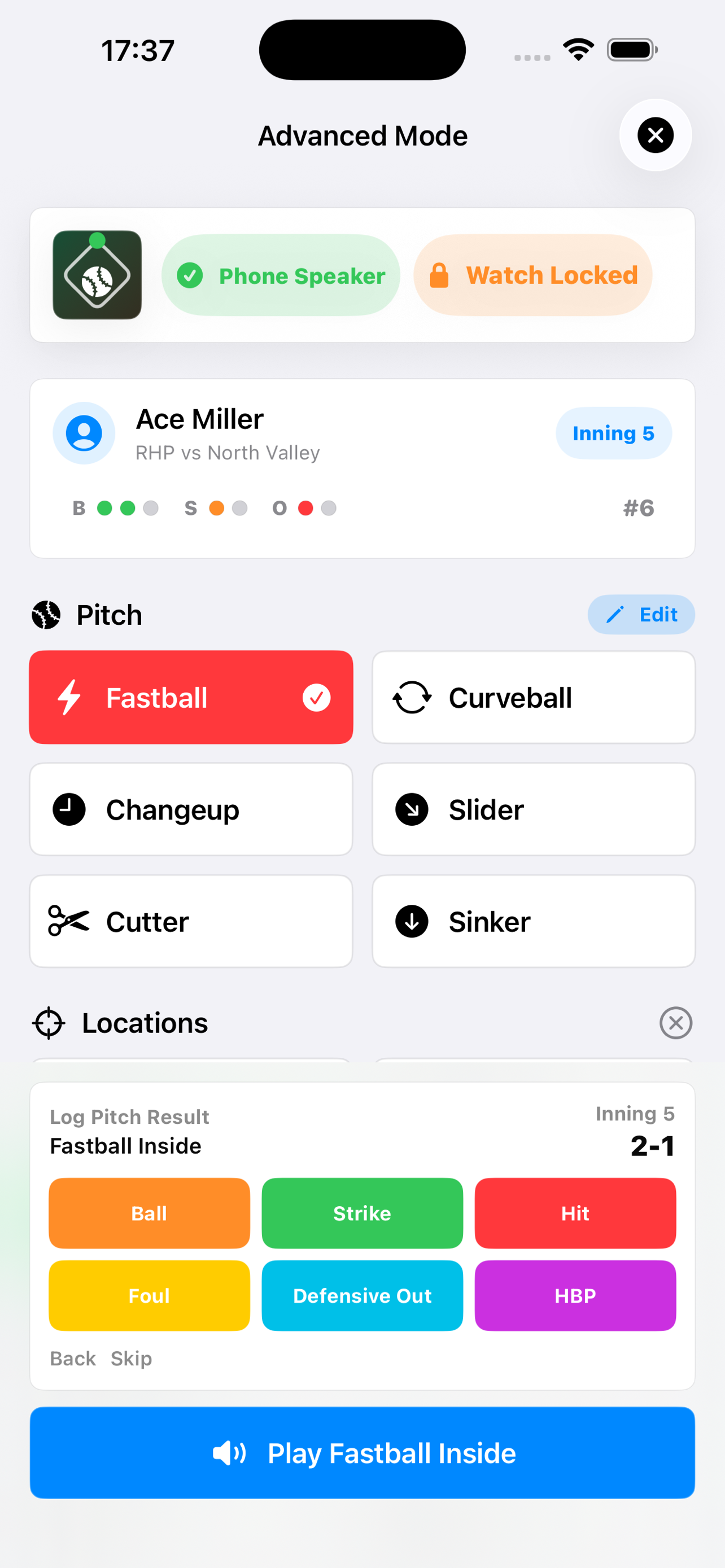
Track pitch outcomes after a call, including spot accuracy, balls, strikes, hits, fouls, HBP, and defensive outs.
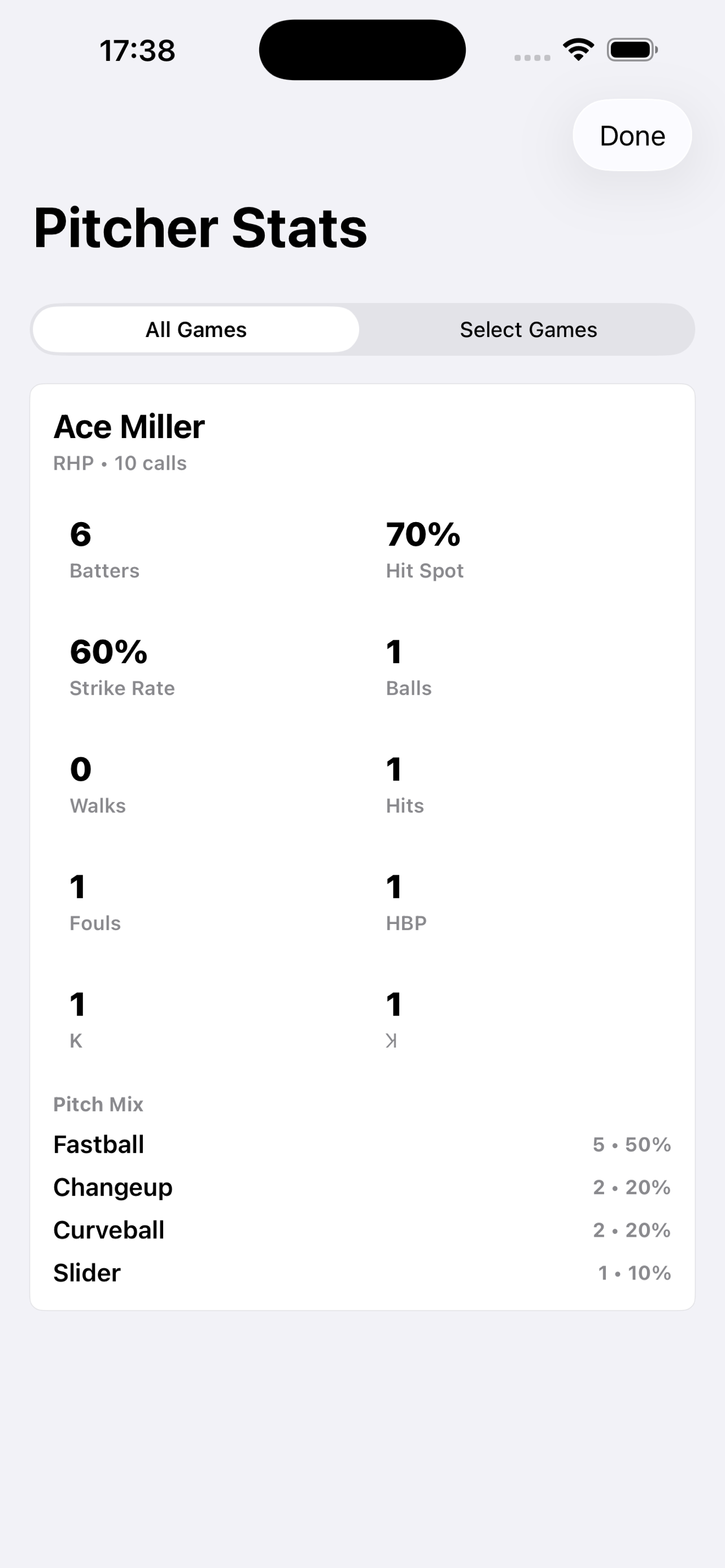
Review pitcher performance with hit-spot rate, strike rate, pitch mix, game summaries, and all-time views.
Edit pitch names and record custom voice clips so the app matches the language your staff and players already use.
The free version supports iPhone speaker output with the default iPhone voice for setup, testing, and fallback playback.
From call to coaching insight
Use responsibly
Before using Dugout Comm in a game, confirm electronic communication is allowed under your league, tournament, school, team, or organization rules. Bluetooth devices are third-party hardware, and range, fit, volume, battery life, connection quality, and safe use can vary by device, iPhone model, environment, interference, and field conditions. Test your setup before play.
FAQ
Dugout Comm is an iPhone and Apple Watch baseball coaching app by Zeke Digital Solutions for pitch communication, pitch-result tracking, and pitcher performance review.
Dugout Comm Premium unlocks Bluetooth audio output, Apple Watch pitch calls, Advanced Mode pitcher tracking, custom voice clips, and editable pitch names. The free app supports iPhone speaker output with the default iPhone voice.
Advanced Mode tracks pitch outcomes, spot accuracy, strike rate, pitch mix, and session or all-time summaries for saved pitcher profiles.
Dugout Comm does not require a Zeke Digital Solutions account and does not send app data to Zeke Digital Solutions servers. Settings, custom voice clips, pitcher profiles, and pitch records are stored locally on the device.
Support
For help, feedback, privacy details, or App Store support, contact Zeke Digital Solutions.
Related guides
Before using Dugout Comm in a game, confirm electronic communication is allowed under your game, league, tournament, school, or organization rules. You are responsible for how you use Dugout Comm and any connected Bluetooth device, including deciding whether the device can be used safely while playing, practicing, coaching, or catching.